How Long Do Robot Mowers Last Before You Need to Replace Them?
· David
This article includes paid links. Yard Robot Lab may earn a commission from qualifying purchases, at no additional cost to you. As an Amazon Associate I earn from qualifying purchases. Affiliate disclosure.
How long do robot mowers last? A robot mower can need a new battery without needing to be replaced. That distinction matters when you are deciding whether an older machine is worn out—or simply due for service. The right replacement date depends on its condition, repair costs, parts availability and ability to keep your lawn cut.
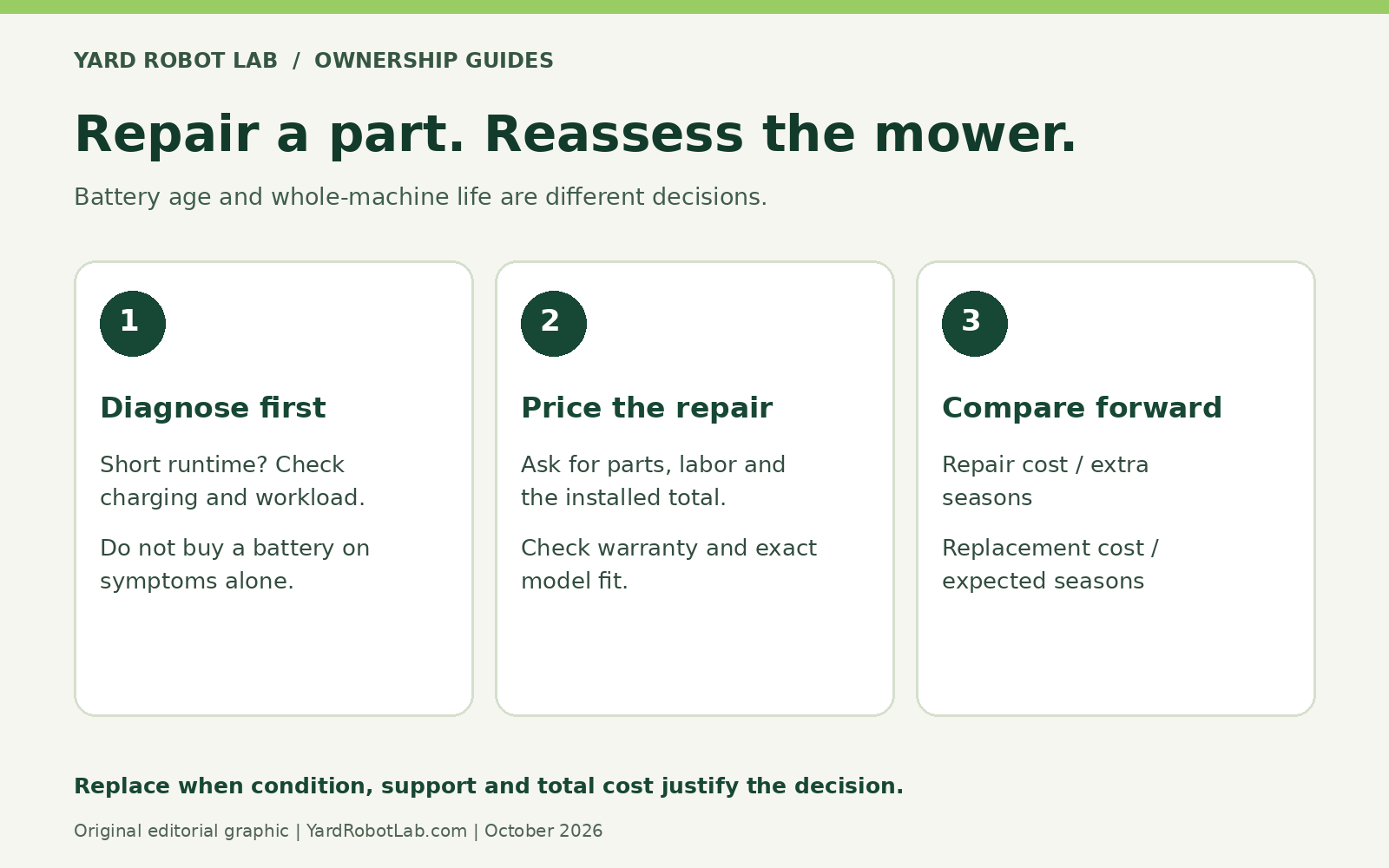
Quick answer: There is no verified, industry-wide replacement age that applies to every robot mower. Treat the mower as a serviceable machine with replaceable components. For one concrete benchmark, Husqvarna says Automower batteries typically last two to five years; that is battery life, not the life of the entire mower. [1]
Is the “five to ten years” lifespan claim reliable?
A five-to-ten-year figure is easy to put into a buying guide. It is much harder to prove across different brands, mowing seasons, lawn sizes and maintenance habits. The manufacturer material reviewed for this article does not establish that range as a measured industry average.
Use different ownership periods to test your budget, rather than treating a particular number as a promise. A mower that remains economical to repair could stay in service longer than your initial planning period. A machine with an expensive failure and no available parts could become uneconomical much sooner.
There is also a limit to what we can know about new technology. A recently introduced mower cannot have ten years of real-world ownership history. A long list of sensors is not evidence of long-term durability.
What usually needs attention before the whole mower?
| Component or system | What deterioration can look like | Does it justify replacing the mower? |
|---|---|---|
| Cutting blades and screws | Frayed grass tips, damaged blades or a poorer finish | Usually a maintenance issue. Use the correct blade set and fasteners. |
| Battery | Less work per charge or more frequent charging under comparable conditions | Get a diagnosis and a replacement quote first. |
| Charging equipment | Intermittent charging, damaged cables or unreliable docking | Check the dock, power supply, connections and contacts before blaming the mower. |
| Wheels, bearings and drive system | Worn tread, abnormal noise or reduced movement | Compare a specific repair quote with the machine’s remaining usefulness. |
| Electronics and navigation hardware | Persistent faults after installation and software problems are ruled out | Parts availability and the full repair bill become especially important. |
| Software and connected services | Missing features, unsupported hardware or changed service access | Determine which essential functions still work before deciding. |
This table is a troubleshooting framework, not a prediction of when each component will fail. Husqvarna’s guidance identifies short mowing cycles as a possible sign of battery ageing, while its troubleshooting material also identifies installation and charging issues that can interrupt normal operation. [1][2][3]
Battery life and mower life are different expenses
Compare battery performance under similar conditions. A shorter run during heavy spring growth is not the same evidence as a shorter run on the same dry lawn at the same cutting height. Before ordering a battery, check the error history and ask whether the mower is actually charging correctly.
Ask for the installed cost, not just the battery’s advertised price. Depending on the model, the job may involve a dealer, seals or other service items. Confirm the exact compatible part and whether the manufacturer permits owner replacement.
A new battery also will not repair a wheel motor, fix a charging-station cable or correct an unreliable route back to the dock. Diagnose the actual problem before spending money.
Why two identical mowers can age differently
Compare workload as well as calendar age. As an illustration, a mower scheduled for eight hours a day over 200 days has 1,600 scheduled hours in a season. Another scheduled for four hours a day over 120 days has 480. Those are not equivalent workloads. Scheduled hours also include charging or idle time, so they are not a substitute for recorded cutting hours.
Husqvarna identifies terrain, lawn size, usage frequency, storage and maintenance as factors affecting battery life. [1] When choosing a mower, allow enough capacity to handle your lawn within the hours you actually intend to use it. If overnight mowing is unsuitable, evaluate daytime capacity instead of assuming every hour of the day is available.
Keep a simple annual record: mowing hours if available, battery changes, repairs, recurring errors and the cost of consumables. That history is more useful for your next repair decision than the age printed on the purchase receipt.
How to avoid retiring a mower prematurely
- Keep up with blades. Inspect them and follow the model’s replacement instructions. Husqvarna warns that worn blades reduce cutting efficiency and increase energy use. [2]
- Clean it the approved way. Remove built-up clippings and inspect moving parts. Water-cleaning permissions differ by model; a weather-resistant mower is not automatically safe to pressure wash. [2]
- Follow its storage instructions. Use the charge level, temperature limits and recharge schedule specified for your exact machine. Avoid applying another brand’s battery-storage advice universally.
- Fix installation problems. Repeated stranding or failed returns deserve investigation instead of simply increasing the mowing schedule.
- Check service access before buying. Identify who can supply a battery, wheel motor, charging power supply and major electronic components.
For perspective, Husqvarna’s UK FAQ advertises more than ten years of robot-mower parts availability. That is a regional manufacturer statement about support, not a guarantee that a particular mower will run for ten years without repairs—or that every part is stocked everywhere. [4]
Repair or replace? Compare the costs from today forward
The original purchase price is already spent. Compare what it costs to keep the mower working now with what it costs to install and operate a suitable replacement.
Here is a hypothetical example, using invented figures to demonstrate the method:
| Option | Assumed cost | Assumed useful time | Simple annualized cost |
|---|---|---|---|
| Repair the existing mower | $350 | 2 additional seasons | $175 per season |
| Buy a replacement | $1,800 including setup | 6 seasons | $300 per season |
These are not market quotes or predicted lifespans. They exclude maintenance, energy, subscriptions, resale value and further failures. Their purpose is to show why one repair can be sensible—and why your confidence in the remaining machine matters. A $350 repair looks less attractive if another major component is already failing.
When replacing the whole robot mower makes sense
Replacement becomes a stronger option when several expensive systems are deteriorating, essential parts cannot be sourced, repeated faults leave the lawn uncut, or the mower no longer suits the property. A larger lawn, changed landscaping or a shorter permitted mowing window can also turn an otherwise working machine into a poor fit.
Get an itemized diagnosis, check warranty coverage and compare a replacement’s total installed cost. Include any required accessories and paid services. Do not assume a new model can reuse the old dock, reference station or boundary installation.
How long do robot mowers last in a realistic ownership budget?
Build a short, middle and longer ownership scenario instead of selecting one lifespan and treating it as certain. For example, compare four, six and eight seasons as planning assumptions. These are sensitivity tests, not claims about the typical mower. Spread the purchase and setup cost over each period, then add annual maintenance, possible battery service and any connectivity fees needed for the functions you use.
A hypothetical $1,800 purchase works out to $450 per season over four seasons, $300 over six, or $225 over eight, before running costs. The arithmetic shows why durability matters, but it does not show which machine will achieve those periods. Ask what evidence supports a seller’s longevity claim and whether the same platform has a useful repair history.
Keep the comparison fair. A replacement that needs a new installation, accessories or a paid service may cost more than the headline price. An older mower may require more attention even after repair. Include the value of avoiding missed cuts if dependable lawn maintenance is the reason you bought automation. Use our mower-versus-lawn-service cost guide to structure the wider comparison.
What to ask a repair shop before approving the job
Give the technician the complete model number, serial number, approximate age and error history. Explain whether the fault happens on a particular slope, after rain, when docking or throughout the yard. A short video of an ordinary fault can help, but do not repeat an unsafe operation to obtain one. Keep the mower out of service if it has damaged safety equipment or other signs that make operation unsafe.
- What fault was diagnosed, and how was the diagnosis confirmed?
- Does the quote include labor, seals, software work, shipping and tax?
- Are the parts new, refurbished or aftermarket, and who supplies them?
- Is there a warranty on the repair, and what would it cover?
- Are other major components visibly deteriorating?
- When can the repair be completed, and what happens if it fails to resolve the fault?
Do not interpret an inspection as a guarantee against every future failure. Use it to reduce uncertainty about the repair you are buying. Compare the written quote with warranty coverage and exclusions before paying for a job that might be covered.
Buying a used robot mower without inheriting someone else’s problem
A used machine’s age is only the start of the inspection. Ask for its service record, proof of ownership, included charging equipment and the correct installation accessories. Confirm that ownership can be transferred and that any app account, security lock or connected service can be handled through the manufacturer’s authorized process. A mower with an attractive asking price can be an expensive mistake if it cannot be activated or supported.
Ask the seller to demonstrate an ordinary mowing cycle and a return to the dock under safe conditions. Note the battery behavior, but do not assume a brief demonstration proves full capacity. Verify the cost and availability of a compatible battery independently. Check wheels, shell, contacts and visible fasteners without opening sealed compartments or bypassing safety devices.
Compare the total used purchase, setup and likely repair bill with a suitable new mower. If the figures are close, the new machine’s coverage and clearer service history may deserve more weight. If you cannot establish ownership, compatibility or service access, walk away rather than budgeting around a best-case assumption.
Find compatible parts before replacing the machine
Our robot mower parts finder organizes model-specific routes to blades, batteries, charging equipment and drive components. Start with the exact model and generation. For a battery, confirm voltage, connector, approved part number and the permitted replacement procedure; a listing that looks similar is not enough.
For owners checking MOVA Ultra consumables, view the MOVA Ultra blade kit on Amazon and confirm the seller’s current model-fit list before ordering. Blade replacement does not repair a weak battery or a charging fault. See our OEM-versus-aftermarket parts guide when comparing alternatives.
If the diagnosis supports replacing the entire mower, compare suitable robot mowers against your lawn and service requirements. Choose capacity and support before paying extra for features that do not solve your ownership problem.
Frequently asked questions
Should I replace a robot mower after five years?
Age alone is not a sufficient reason. If it still covers the lawn reliably and parts remain available, compare repair and maintenance costs before replacing it.
Does a two-to-five-year battery life mean the mower lasts only that long?
No. Husqvarna’s figure describes its Automower batteries. Replacing a serviceable battery is a different decision from replacing the complete machine. [1]
Does a longer warranty prove a longer lifespan?
No. A warranty describes coverage under its terms. Compare exclusions, battery coverage, repair arrangements and support separately from expected service life.
What should I check before buying for long-term ownership?
Check replacement-battery availability, service access, essential parts, software dependencies and enough mowing capacity for your permitted operating hours. Those checks make a longevity claim useful.
See our maintenance checklist and guide to robot mowers that cut at night when planning a realistic operating schedule.
Sources
Manufacturer guidance supports the specific statements attributed to it. Cost examples and purchasing judgments are Yard Robot Lab editorial analysis; this article is not a long-term fleet reliability study.