Robot Mower Maintenance Checklist: Blades, Cleaning, Battery and Storage
Robot mower maintenance works best as a repeatable checklist tied to the model’s manual. A robot mower reduces routine pushing, but it still needs inspections and a safe place to charge. Blades wear, debris can collect around the cutting disc, dock contacts can become dirty and a mapped route can change after landscaping. Use this checklist to recognize what needs attention, then follow the current manual for the actual maintenance procedure and timing.
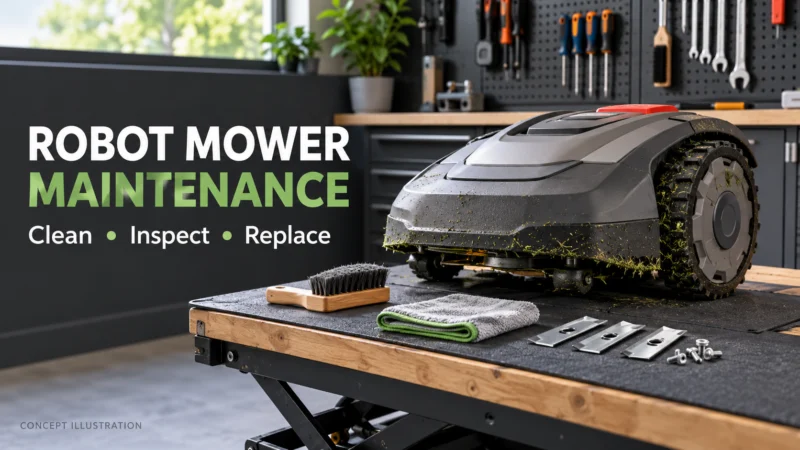
Before a run: walk the yard
Look for branches, stones, toys, hoses, displaced edging and temporary work areas. Check whether a fallen limb blocks the route to the dock. After digging or landscaping, inspect the boundary wire or virtual map as appropriate. A problem that occurs only in one zone may come from a new obstacle or route change rather than a failed machine.
Keep people and pets away as the manufacturer instructs. Stop the mower if a guard is damaged or a moving component appears unsafe. Do not defeat a sensor to complete a mowing cycle.
Inspect cutting hardware
Power the machine down according to its manual before touching the underside. Check the blades, fasteners and cutting disc for damage and trapped material. Replace components when the model’s instructions call for it; the number of blades and required screws differ. A poor cut can also reflect grass that is too tall for the maintenance schedule or debris that prevents the disc from turning freely. Record what you observed before ordering a part.
Clean without damaging electronics
Follow the maker’s approved cleaning method. A brush or cloth may be appropriate for one component while another has a specific water-resistance instruction. Do not recommend a pressure washer, solvent or immersion across all brands. Keep camera and LiDAR surfaces clean under their model instructions, and note any damage that needs service. A navigation issue after cleaning should be documented with the location and error message.
Check charging and communication
Inspect the dock approach and accessible charging contacts. Confirm that the station remains level and has power. If a mower runs for less time than usual, check the cutting disc, charging behavior and reported errors before assuming the battery has failed. Software updates and map changes can also affect behavior; follow the official update sequence and retain the version noted when a problem begins.
Seasonal storage and spring restart
Use the model’s guidance for battery charge, temperature and whether equipment remains installed outside. Clean and inspect before storage, photograph the map or boundary-wire route and keep purchase and service documents together. At spring restart, check for yard changes, inspect the dock and run a supervised first cycle. Do not copy a battery-storage percentage from another brand’s manual.
A compact maintenance record
| Date | Observation | Action | Part or cost |
|---|---|---|---|
| Enter date | Note the specific zone, error or wear | Inspect, clean, replace or contact support | Exact identifier and amount, if any |
Repeated events at the same location can point to a mapping or terrain issue. A history of blade replacements and service invoices provides better ownership-cost data than an assumed universal annual expense. Keep a distinction between an owner observation and a manufacturer-mandated service interval.
Use the parts guide for buying checks and the battery explainer for capacity and storage concepts. For exact tasks, start with the model’s manual.
Use an error to narrow the inspection
A mower that stops in the same narrow passage deserves a route and navigation check. A mower that reaches the dock but fails to charge calls for a dock-power, alignment and contact check. A mower that cuts poorly after a storm may have debris at the blade disc. These examples guide observation; they do not replace the model’s official troubleshooting sequence. Write down what the machine actually reported before resetting or replacing anything.
When should an owner stop? Visible guard damage, exposed wiring, abnormal heat, a swollen battery or repeated movement that could endanger a person or property should be handled through the manufacturer’s safety and service channel. Do not advise continued operation to gather more data in an unsafe condition.
Can YRL give one maintenance interval for every mower? No. A model may publish a specific blade, cleaning or storage schedule; another may instruct owners to inspect and act on condition. Link the current manual beside any stated interval. Keep a dated record of the source so later revisions can be incorporated.
The maintenance log should also record no action after an inspection. That prevents a checklist from becoming an automatic parts order and makes later diagnosis more accurate: the owner can see when an item was inspected and found sound.
A checklist for the owner who did not install it
If the mower came with a home, locate its exact model, charging supply, map or boundary route, manual and account-transfer instructions before changing settings. Photograph the dock, power connection and any accessible junctions. An inherited charging problem may be a changed landscape or unplugged supply, while uneven mowing may be a schedule or height issue. Begin with observed behavior and the manufacturer’s owner-safe checks.
Create a single maintenance log with the date, symptom, error text, photograph, cleaning performed, part identifier and result of the next regular cycle. This takes little time and distinguishes recurring faults from unrelated seasonal problems. When a blade is replaced, note the approved screws or mounting components used. When the machine is stored, document battery state, temperature guidance and the date it should be checked again according to the exact manual.
When to stop owner maintenance
A damaged charging lead, exposed conductor, water intrusion, broken safety guard or repeated unexplained shutdown should trigger the manual’s service path rather than improvised repair. Keep people and animals away from a machine with an unresolved safety fault. A seasonal checklist cannot substitute for a model-specific electrical procedure, and a generic lubrication or pressure-washing tip should not be applied to sealed mower electronics. Save the support case number and the outcome so the next owner or technician can follow the history.
In summary: Inspect the yard, cutting assembly, dock and software state regularly, while using the exact manual for safe procedures. Diagnose a symptom before buying a component and record the result after service.
Example manuals: WORX WR155 maintenance manual and Husqvarna 435X AWD support. Their procedures are model-specific; this checklist does not replace either one.